
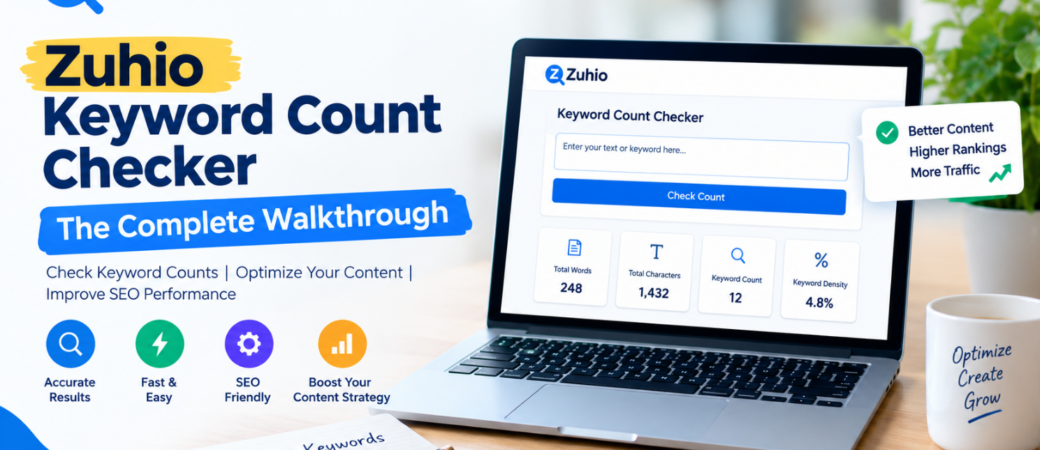
Every writer who has ever tried to rank a piece of content on Google has faced the same dilemma: how many times should a target keyword actually appear before it starts to feel forced? Stuff a page with the same phrase too often and readers (and search engines) notice the repetition. Use it too sparingly and the page may never signal what it’s really about. The Zuhio Keyword Count Checker was built to answer exactly that question in seconds, giving bloggers, marketers, and SEO working professionals a quick way to check keyword frequency and density before hitting publish.
Key Takeaways
- Zuhio Keyword Count Checker is a free, browser-based tool that shows how often a keyword appears in your text, along with its density as a percentage of total word count.
- It supports multiple keywords and long-tail phrases at once, highlighting each one directly inside your pasted content.
- The tool is a single-purpose utility — it does not check backlinks, crawl live pages, audit technical SEO, or pull search volume data.
- It works best as a drafting-stage check, helping writers avoid both keyword stuffing and keyword neglect.
- No sign-up or installation is required; you simply paste your content, add your keywords, and review the results instantly.
What Is the Zuhio Keyword Count Checker?
The Zuhio Keyword Count Checker is a free online utility built by Zuhio, a company known for a growing set of small, single-purpose “micro-tools” aimed at professionals who want practical solutions without a steep learning curve. Rather than trying to be a full SEO suite like the large platforms that track rankings, backlinks, and competitor gaps, this tool focuses on one narrow job: telling you exactly how many times a keyword or phrase shows up in a piece of text and what share of your total word count it represents.
You open the tool in your browser, paste in an article, product description, or any block of writing, then type in the term or terms you want to track. Within moments, the checker returns a count for each keyword, its density percentage, and a highlighted view of your text showing exactly where each instance appears. It also displays your overall word count, which is useful on its own for gauging the depth of a draft before publishing.
How the Tool Actually Works
The mechanics behind the Zuhio Keyword Count Checker are refreshingly simple, and that simplicity is part of its appeal.
Step 1: Paste your content. Drop your full article, landing page copy, or product listing into the text field.
Step 2: Enter your keywords. You can add a primary keyword, secondary terms, and even long-tail phrases, separating multiple entries with commas. Matching is case-insensitive, so you don’t need to worry about capitalization mismatches throwing off the count.
Step 3: Review the results. The tool scans the text and returns the frequency and density of each tracked term, highlighting every occurrence directly in the content so you can visually see how the keyword planner is distributed throughout the piece rather than clustered in one section.
Step 4: Adjust and re-check. Because results appear instantly, you can revise your draft, paste it back in, and confirm the new balance before moving forward — a fast feedback loop for Benchinfo that fits naturally into a normal writing or editing session.
The tool also automatically surfaces your most frequently used terms, even ones you didn’t manually type in, which can be a helpful way to catch unintentional repetition you might not have noticed while drafting.
Core Features Worth Knowing
While it’s a focused, single-purpose tool, the Keyword Count Checker packs in a handful of features that genuinely support content optimization: As per the reddit users also this keyword tool more and more provide best keyword density overview with all AEO and other factors for free which makes the article optimized and with all quality parameters.
- Instant keyword counting — see exactly how many times each target term appears without manually scanning the page.
- Density calculation — get a keyword-to-word-count ratio so you know at a glance whether a term is under- or over-represented.
- Multi-keyword analysis — check several primary and secondary terms in a single pass instead of running separate checks.
- Long-tail phrase support — track multi-word search queries, not just single words.
- Text highlighting — every tracked keyword is marked directly in your content, making it easy to spot clustering or gaps.
- Total word count display — a quick way to gauge whether your content has enough depth for the topic.
- General guidance benchmarks — the tool offers standard SEO reference points, framed as a guide rather than a strict rule, reminding users that natural, readable writing should always come first.

Who Should Use It
The tool is aimed squarely at people who write or edit content regularly but don’t need — or want to pay for — a full-scale SEO platform. That includes bloggers publishing on a consistent schedule, freelance writers juggling multiple clients with different keyword requirements, in-house content editors doing a final pass before publishing, and small business owners managing their own website copy without a dedicated marketing team.
It’s less suited to agencies or larger SEO teams who need competitor benchmarking, backlink audits, or search volume data, since those functions sit outside what this tool is designed to do. For that kind of work, a broader platform will still be necessary. But as a fast, no-cost diagnostic step during drafting, the checker fills a real gap that many larger, more expensive tools overcomplicate.
Why Keyword Density Still Matters (With Caveats)
Search engines have become far better at understanding context, topical relevance, and search intent than they were a decade ago, which means exact-match keyword repetition carries less weight in rankings than it once did. That shift has led some in the SEO community to argue that density checking is close to obsolete. Others maintain that a rough guideline — often cited around one to two percent — still offers a useful sanity check against two very real failure modes: content that repeats a phrase so often it reads unnaturally, and content so vague about its subject that neither readers nor crawlers can tell what it’s actually about.
The honest answer sits somewhere in the middle. Modern SEO rewards helpful, well-structured, genuinely useful writing above all else. But a keyword density tool still has a place as a support check, not a ranking formula. Treat any percentage it returns as a prompt to review your writing, not a target to hit mechanically. If a number looks unusually high, read the passage back and ask whether it still sounds like something a person would naturally write. If it’s unusually low, consider whether the content actually addresses the topic thoroughly enough.
Zuhio Keyword Count Checker vs. Larger SEO Platforms
It’s worth being clear about what this tool is not. Zuhio Keyword Count Checker does not crawl live web pages, inspect your HTML tags, monitor backlinks, or generate content scoring dashboards the way established SEO suites do. It doesn’t suggest new topics, estimate search volume, or map semantic keyword clusters. Those are genuinely different categories of tool, built for different stages of an SEO workflow.
What Zuhio does well is give writers an immediate, frictionless answer to one specific question — “how balanced is my keyword usage in this draft?” — without requiring an account, a subscription, or a learning curve. For solo writers and small teams who don’t need a full technical audit every time they publish a post, that focused simplicity is often more useful day-to-day than a dashboard full of metrics they’ll rarely touch.
A Practical Workflow for Using the Tool
Based on how most writers actually approach keyword optimization, a sensible way to fold this tool into a normal editing routine looks something like this: write the draft first, focusing entirely on clarity and usefulness for the reader. Once the draft feels complete, identify your primary keyword along with two or three secondary or long-tail variations that reflect how people actually search for the topic. Paste the finished draft into the checker and review the density results. If the primary term is barely present, look for natural places — an introduction, a subheading, a conclusion — where it fits without disrupting the flow. If it’s overused, swap some instances for synonyms or simply trim the repetition. Finally, re-read the piece aloud, or at least skim it once more, since a tool can flag numbers but only a human ear can catch whether the writing still sounds natural.
Limitations to Keep in Mind
No single-purpose tool can replace a full content strategy, and the Zuhio Keyword Count Checker doesn’t try to. It won’t tell you why a competitor’s page outranks yours, whether your site has technical crawl issues, or what topics your audience is searching for that you haven’t covered yet. It’s also only as useful as the benchmarks you apply to it — since keyword density guidance varies across the industry, the numbers it returns should inform your judgment rather than replace it. Writers who rely on it as their only SEO check will eventually need to pair it with broader research and analytics tools to get a complete picture of how their content performs.
Final Thoughts
The Zuhio Keyword Count Checker earns its place in a writer’s toolkit by doing one job cleanly: showing exactly how a keyword is distributed across a piece of content, without the overhead of a full SEO platform. For bloggers, freelancers, and small business owners who need a quick, reliable check before publishing, it removes the guesswork from an otherwise easy-to-overlook part of the writing process. Used the way it’s intended — as a C2C jobs diagnostic step rather than a strict formula — it can help content stay both search-friendly and genuinely readable, which remains the real goal behind any keyword strategy.
FAQs
Is the Zuhio Keyword Count Checker really free to use?
Yes. It’s a browser-based tool that doesn’t require account creation or software installation. You paste your content, enter your keywords, and get results immediately at no cost.
Can I check more than one keyword at a time?
Yes. You can enter multiple primary and secondary keywords, separated by commas, and the tool will analyze all of them together in a single pass, highlighting each one separately within your text.
Does it work for long-tail keywords and phrases, not just single words?
Yes. The tool supports multi-word phrases and long-tail search queries, not only individual keywords, which makes it useful for more specific, intent-driven SEO targeting.
What is considered a “good” keyword density?
There’s no universally agreed number. Some sources suggest a rough range of one to two percent as a general guide, while others argue density matters far less than readability and topical relevance today. Use the tool’s output as a diagnostic, not a strict rule.
Does the tool check anything besides keyword count and density?
No. It’s intentionally narrow in scope — it doesn’t audit backlinks, technical SEO, or search volume, and it doesn’t crawl live web pages. For those functions, a broader SEO platform is still necessary.